

One toolkit for PlayStation 4 service & repair
EORaptor and MicroRaptor are small hardware flashers that connect directly to your PS4 motherboard. They let you read and write the Syscon and SFlash (NOR) chips, enable UART for live logs, and make full backups you can restore in minutes. No deep soldering marathons, no guesswork — connect the board, open the app, and work safely from your PC or phone.
Connect
Wire the board to your PS4 using the diagram for your exact model. Install it inside the console for a permanent, tidy setup.
Power & open the app
Power over USB-C or from the console itself, then connect over Wi-Fi or USB from the EORaptor PC or mobile app.
Backup, flash, repair
Back up firmware, read/write Syscon & SFlash, switch firmware with Multiboot, and recover bricked consoles with confidence.
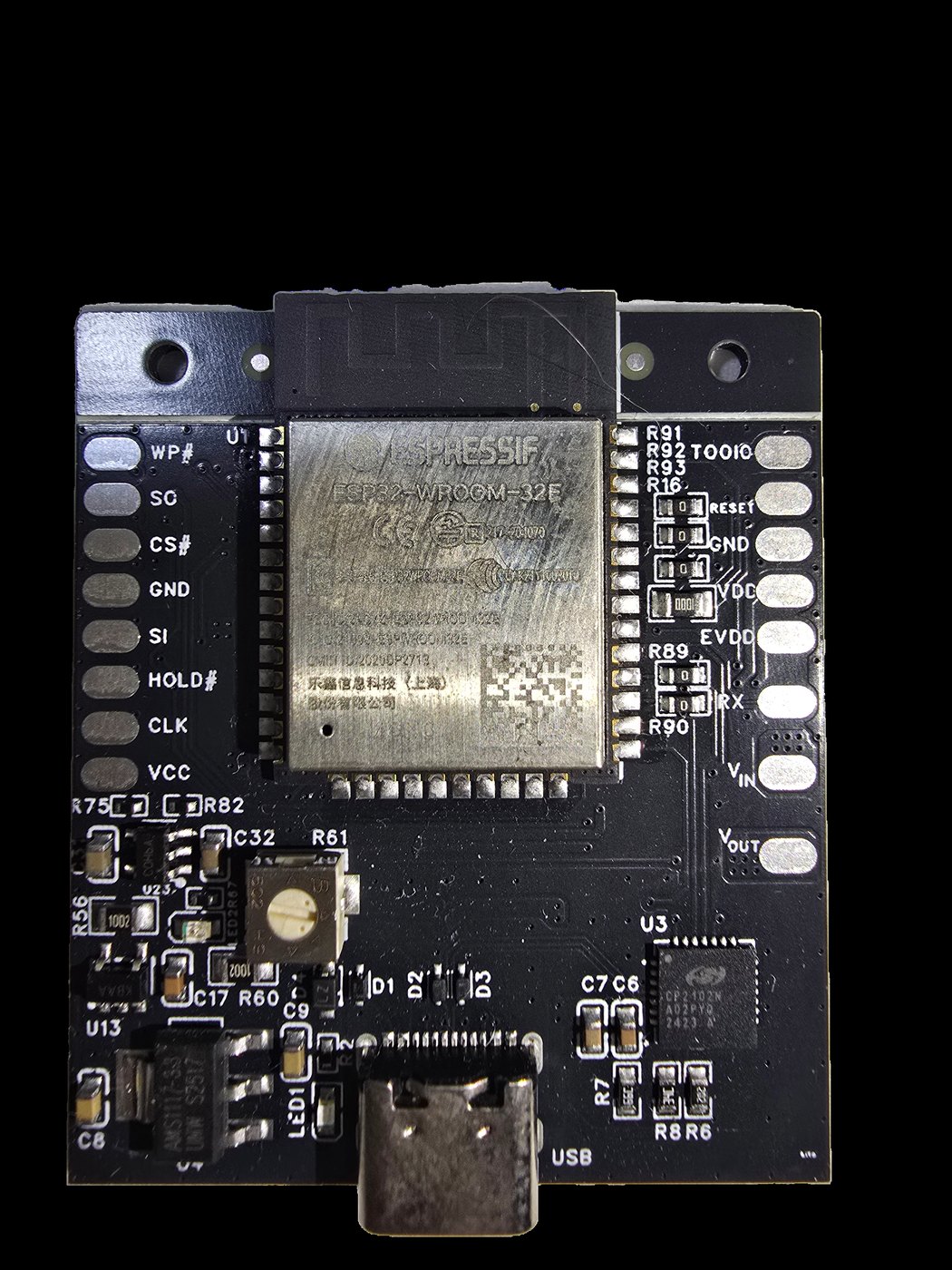
EORaptor
The all-in-one PS4 flasher. EORaptor reads and writes Syscon and SFlash fast and safely, adds built-in UART, and packs it all onto a custom shielded module just 4 cm × 4 cm — small enough to install permanently inside the console. Plug it once and control everything from the PC or mobile app: no more opening the PS4 every time.
- Read/Write Syscon & SFlash on one board
- Built-in UART in under 20 seconds
- Multiboot — switch firmware in minutes
- Auto Unlock for Syscon, with safety checks
- Custom shielded module, ultra-compact 4×4 cm
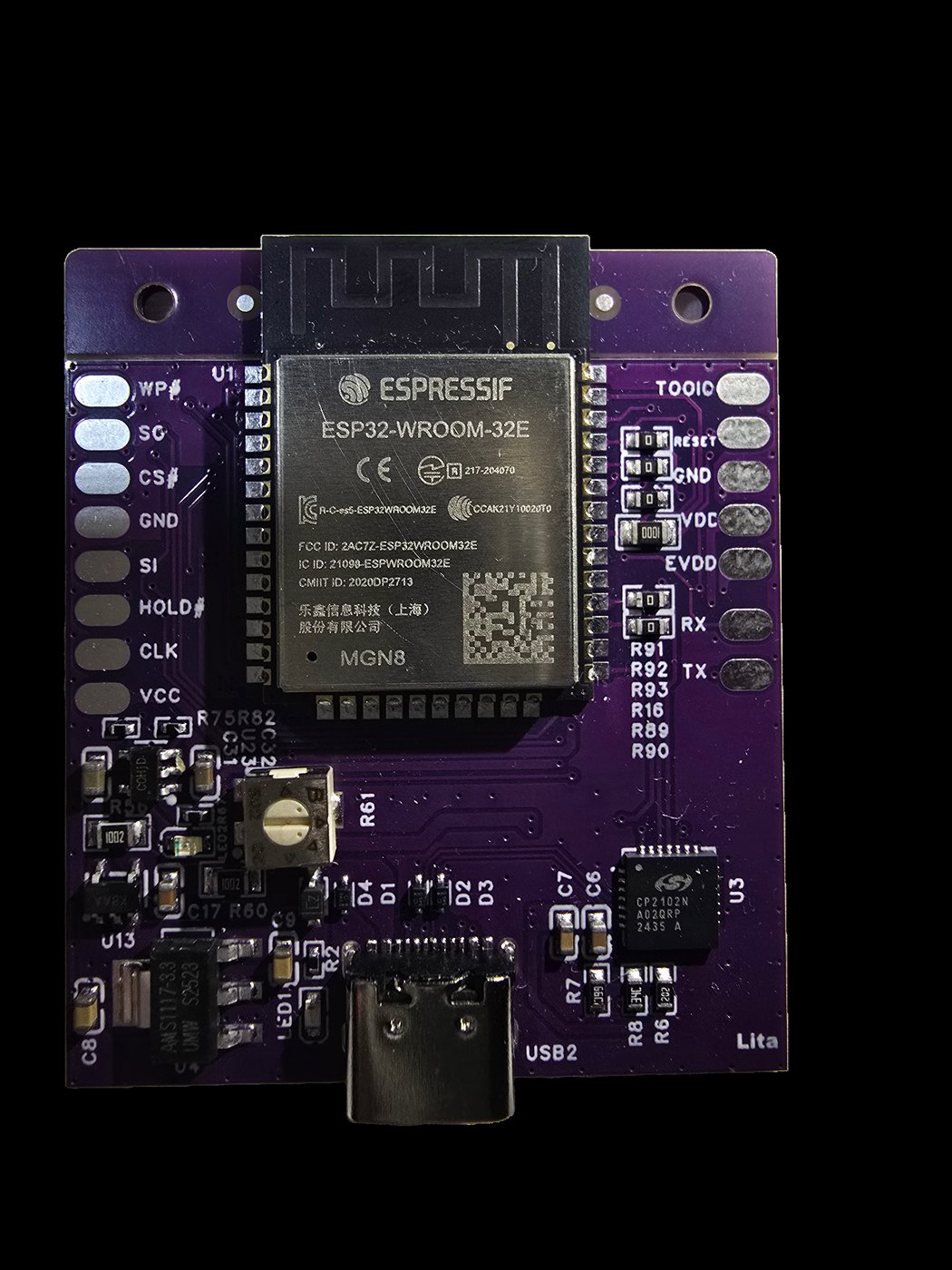
MicroRaptor
The compact, wallet-friendly Raptor. MicroRaptor brings the same core flashing power — Syscon, SFlash and UART — built on the proven ESP32-WROOM module in a smaller, simpler package. It runs the very same EORaptor PC and mobile apps, so you get backups, restore and the full workflow with nothing new to learn. The ideal entry point for hobbyists and first-time PS4 repairers.
- Read/Write Syscon & SFlash
- UART support for live boot logs
- Backup & Restore your firmware
- Runs the same PC & mobile apps as EORaptor
- Built on the reliable ESP32-WROOM module
Which board is right for you?
Both boards do the same core jobs and share the same apps. The difference is the build and who it’s made for.
| Capability | EORaptor | MicroRaptor |
|---|---|---|
| Read / Write Syscon | Yes | Yes |
| Read / Write SFlash (NOR) | Yes | Yes |
| UART logs | Yes | Yes |
| Backup & Restore | Yes | Yes |
| Multiboot | Yes | No |
| PC & mobile apps | Yes | Yes |
| Fits inside the console | Yes | No |
| Module | ESP32-WROOM | ESP32-WROOM |
| Size | Ultra-compact 4×4 cm | Compact |
| Best for | Hobbyists & best value | Repair shops & pros |
What both boards can do
Fast, safe, and made for PS4 repair, recovery and hobby projects.
Read/Write Syscon
Read and write the PS4 Syscon chip quickly and safely — perfect for repair and restore jobs.
Read/Write SFlash
One board handles both Syscon and SFlash. Supports all PS4 NOR/SFlash chips with stable, reliable transfers.
UART support
Enable UART in under 20 seconds with a fast SFlash patch and read live boot logs for instant troubleshooting.
Multiboot
Keep several firmwares ready and switch between any backed-up FW from the app — no full manual process.
Compact & tidy
Small enough to install inside the console and access it any time — without opening the PS4 again.
PC & mobile apps
Friendly control apps for Windows and Android with multi-language support — work from anywhere.
Download the Raptor apps
One app family runs both EORaptor and MicroRaptor. Pick your device and get started right away.
Windows app
Full control from desktop.
Best for repair shops, labs and R&D setups.
- OS: Windows 10 or later (64-bit)
- Connection: Wi-Fi or USB
Android app
For quick jobs and on-site use.
Fast control straight from your phone.
- OS: Android 8 or above
- Connection: Wi-Fi
Ready to flash your first console?
Follow the step-by-step guide for your exact PS4 model, or reach out and we’ll point you the right way.